RSSrch is a Zotero 10 plugin that transforms Zotero RSS feeds into a research-focused discovery system with feed folders, metadata enrichment, filtering rules, relevance scoring, automated actions, and AI-assisted research model development.
RSSrch works with Zotero’s existing RSS system. Zotero remains responsible for feed subscriptions, retrieval, storage, refresh, and native item management, while RSSrch adds research-oriented organization, evaluation, and triage.
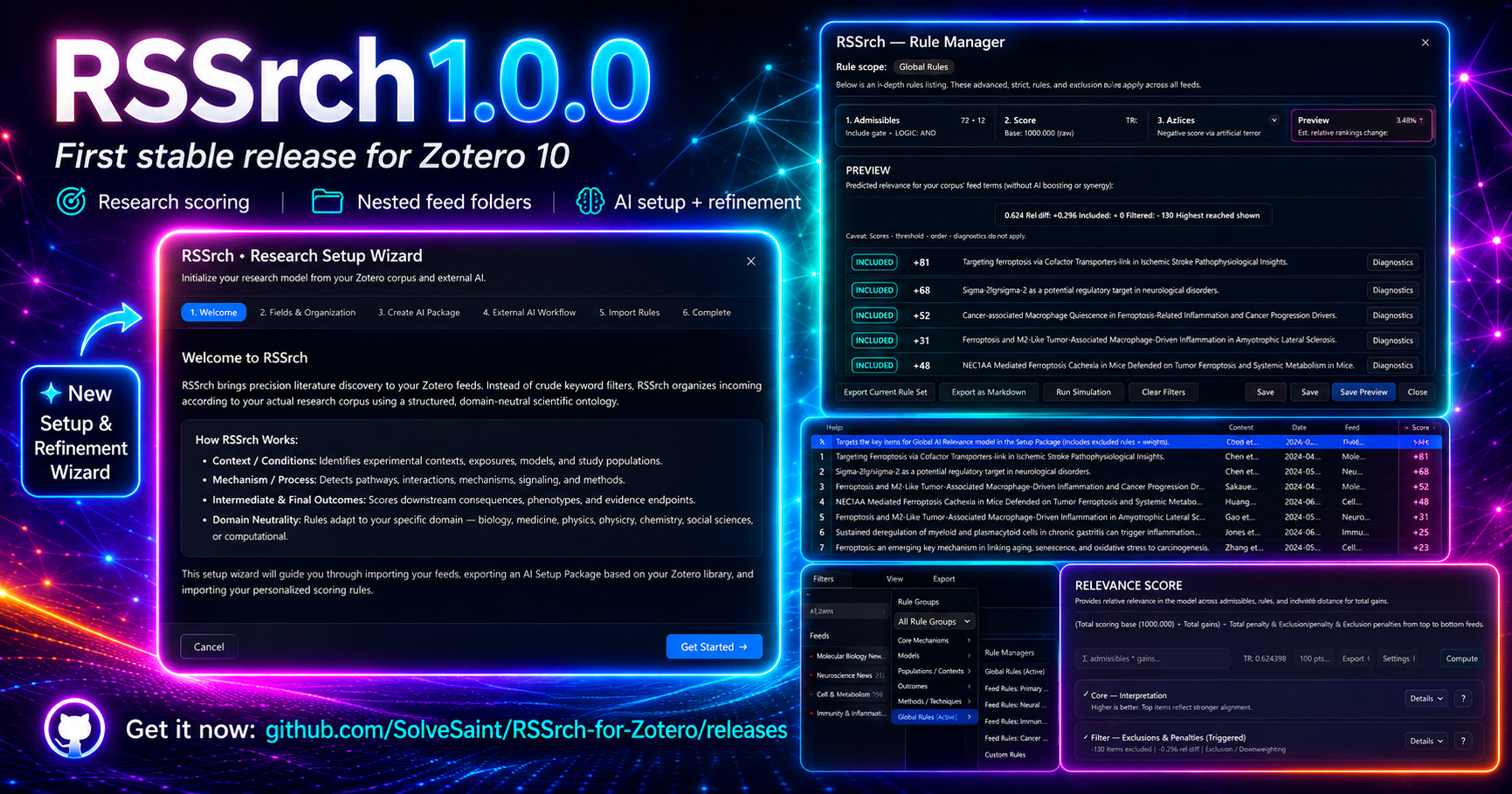
Features
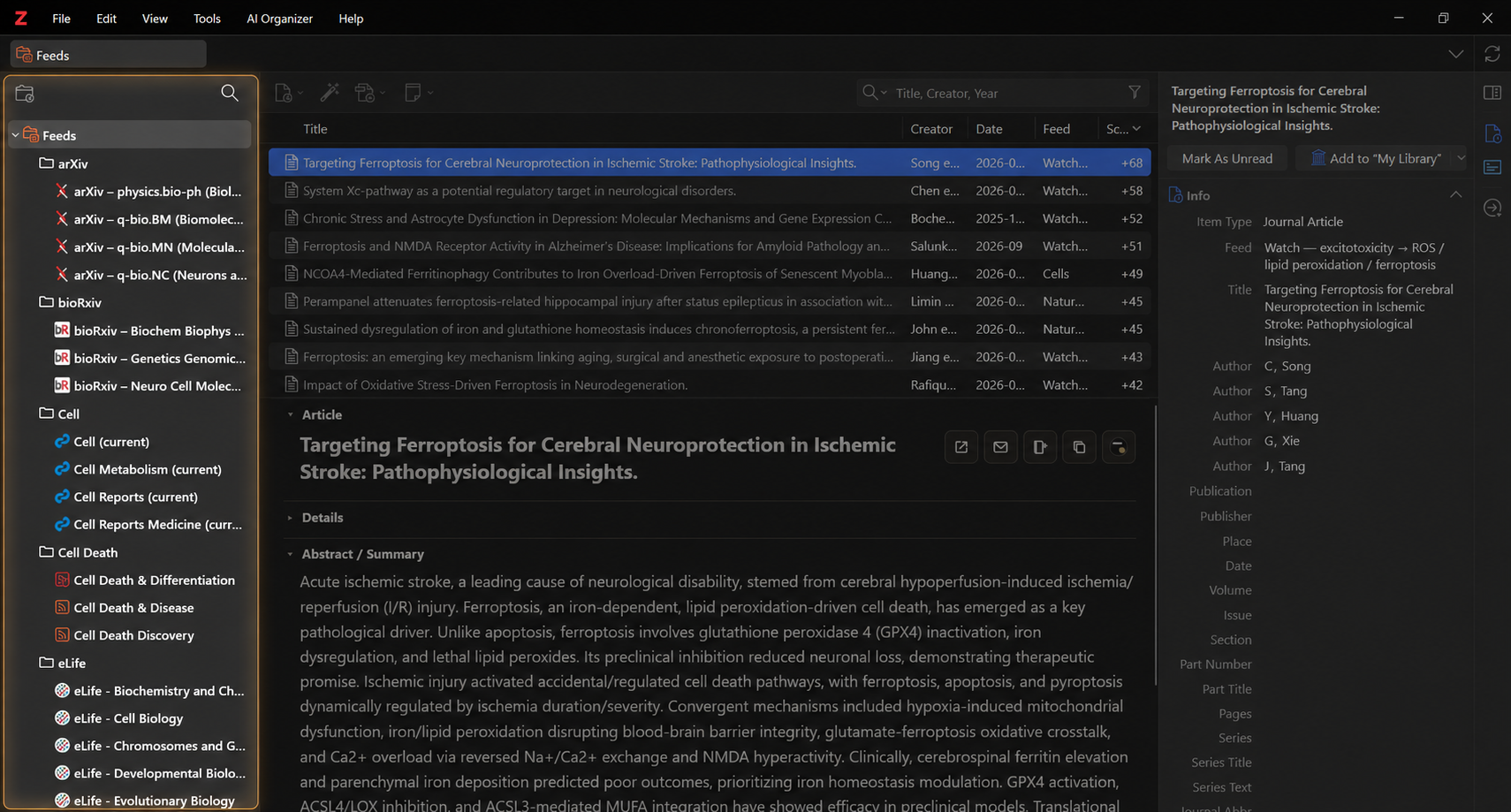
Organize RSS feeds with folders
Create nested folders to organize Zotero RSS feeds into research areas, projects, topics, journals, or other domains.
Selecting a folder displays items from the feeds contained within that folder and its descendants.
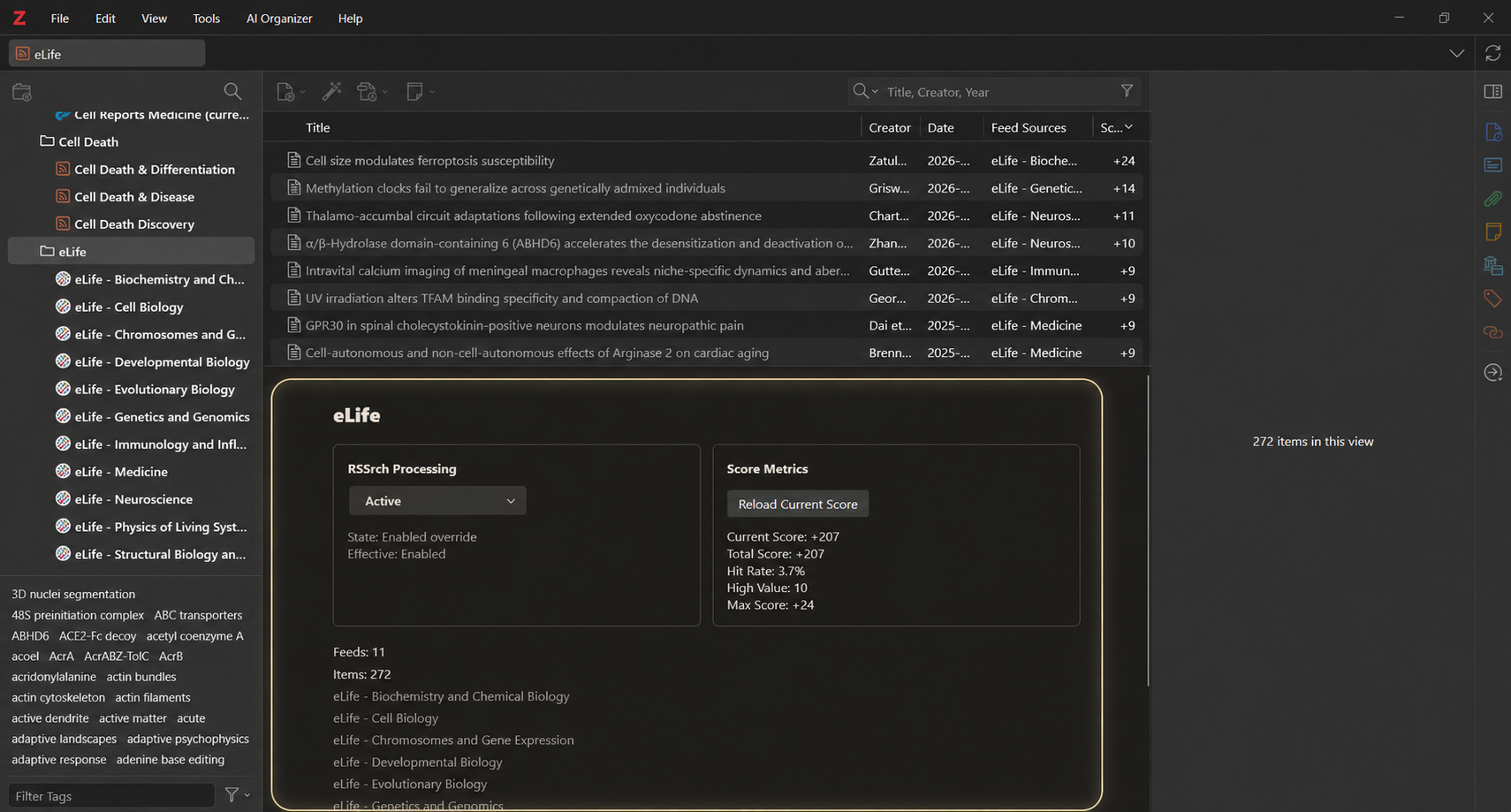
RSSrch also provides a folder dashboard with information about the selected research domain and its effective RSSrch processing state.
See Feed Folders.
Feed subjects and tag discovery
RSSrch uses Zotero’s existing tag system to expose structured subject metadata from feeds and metadata enrichment.
Feed Subjects can include publisher categories, article keywords, and other accepted subject metadata.
When an RSSrch folder is selected, Zotero’s Tag Selector can represent tags across the feeds contained within that folder and its descendants.
Filter incoming research
Create customizable Include and Exclude rules to determine which articles belong in a research scope.
Include rules act as admission gates, while Exclude rules provide hard vetoes.
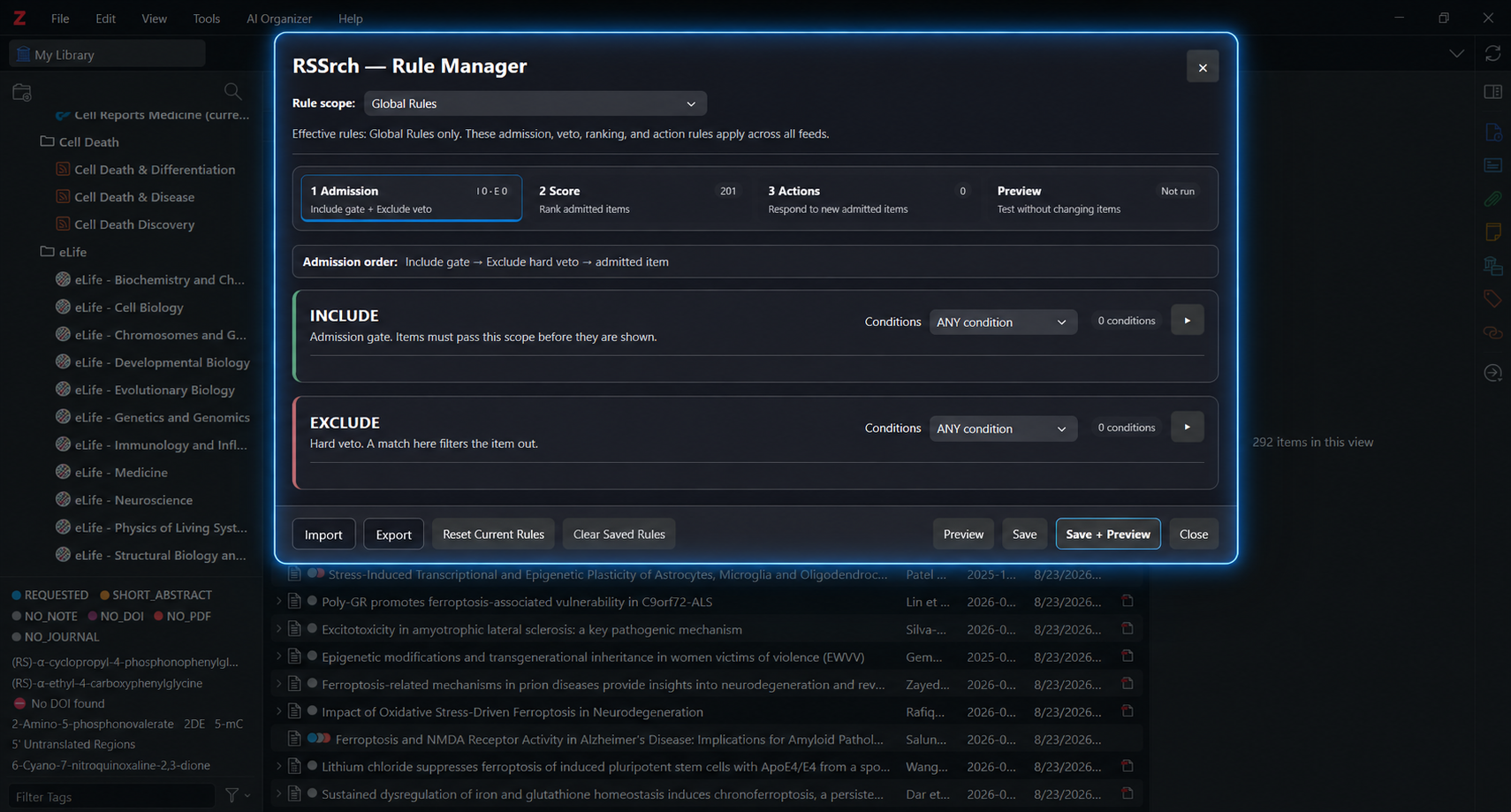
Rules can evaluate metadata such as title, abstract, authors, publication, article type, Feed Subjects, tags, and DOI.
See Include and Exclude Rules.
Score papers by research relevance
Create weighted scoring concepts that rank papers according to how strongly they match your research priorities.
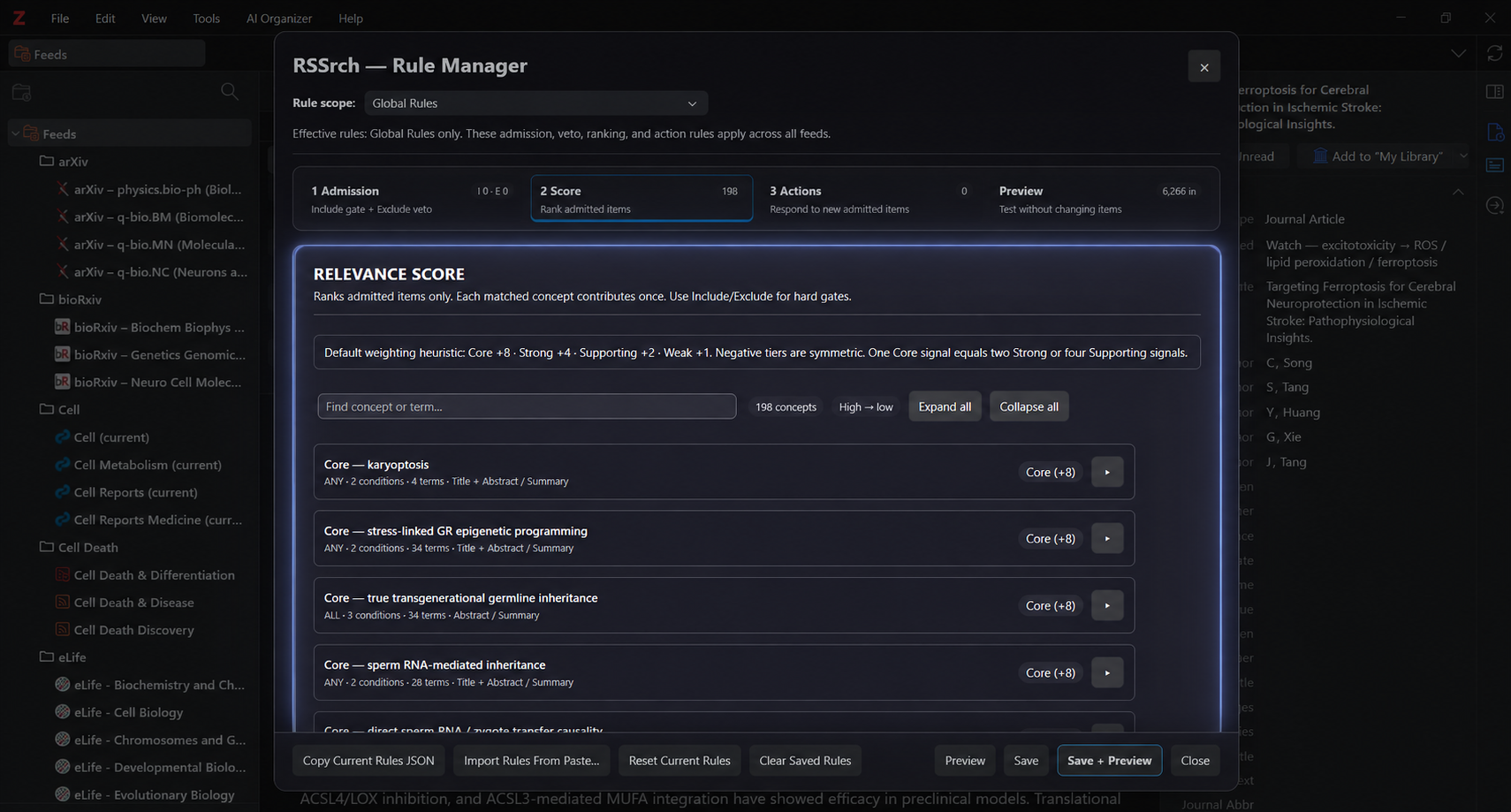
RSSrch combines Article-Type Scoring, Global scoring concepts, and feed-specific scoring concepts.
Relevance Scores appear directly in Zotero’s item list and can be used to prioritize incoming research.
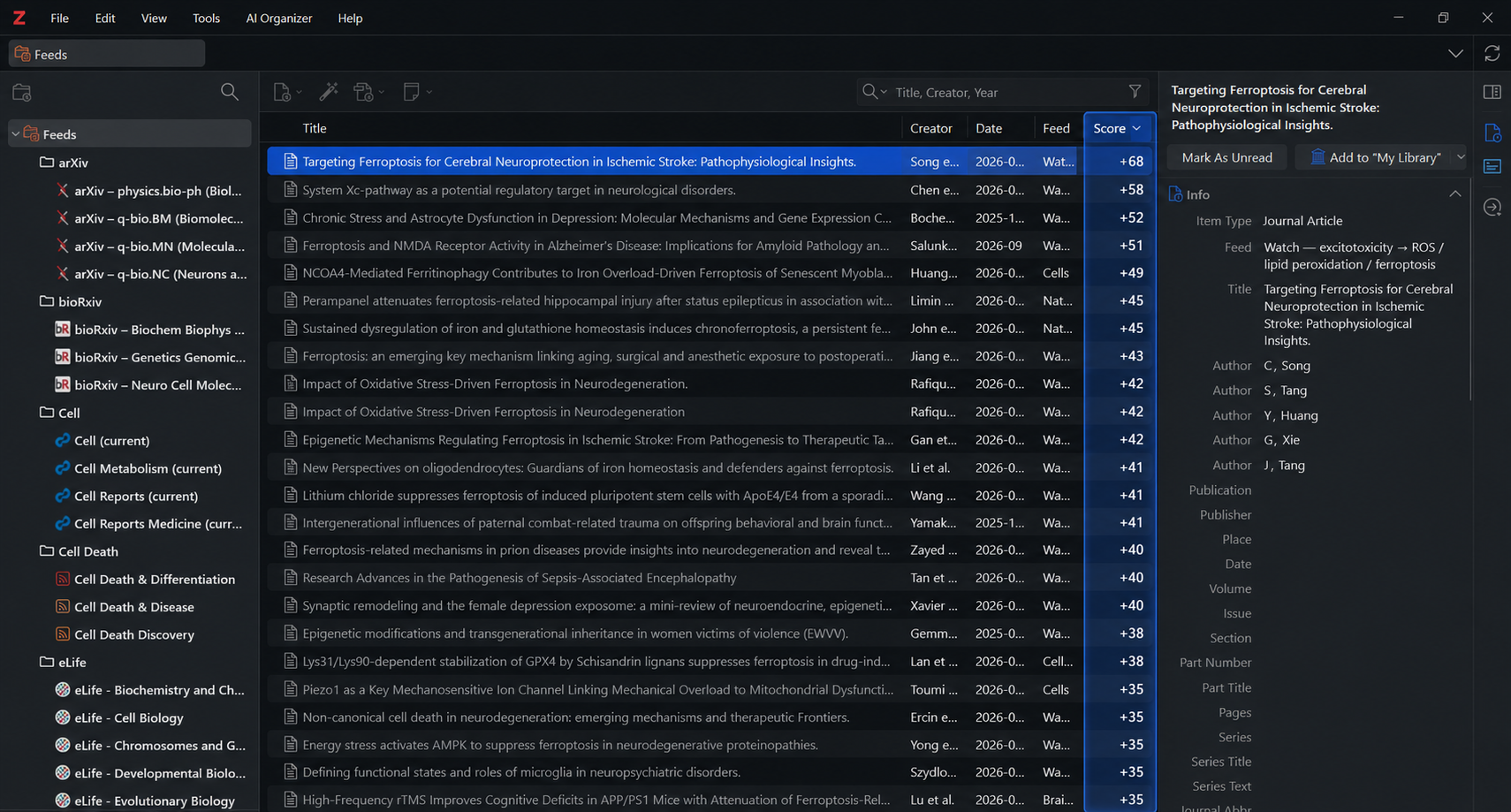
See Relevance Scoring.
Automate responses to important papers
RSSrch Actions can respond automatically when newly added feed items pass Admission and meet configured research criteria.
Actions can show a Zotero alert, add a paper to My Library, or add a manual Zotero tag.
Actions can also require a minimum Relevance Score and additional rule conditions.
See Actions.
Preview and test the research model
The Rule Manager Preview can test Admission and Relevance Scoring against existing feed items without changing those items.
Preview can evaluate unsaved changes, while detailed diagnostics show why an item was included or filtered and which scoring concepts contributed to its Score.
Enrich sparse feed metadata
RSS feeds vary considerably in metadata quality.
RSSrch can supplement sparse feed items with research-useful metadata such as abstracts, creators, DOI information, publication metadata, article type, subjects, and keywords.
Enriched metadata can then improve filtering, scoring, and research triage.
See Metadata Enrichment.
Research-focused Reader workflow
RSSrch integrates an abstract-focused research Reader directly into Zotero’s feed workflow and offers multiple Reader themes.
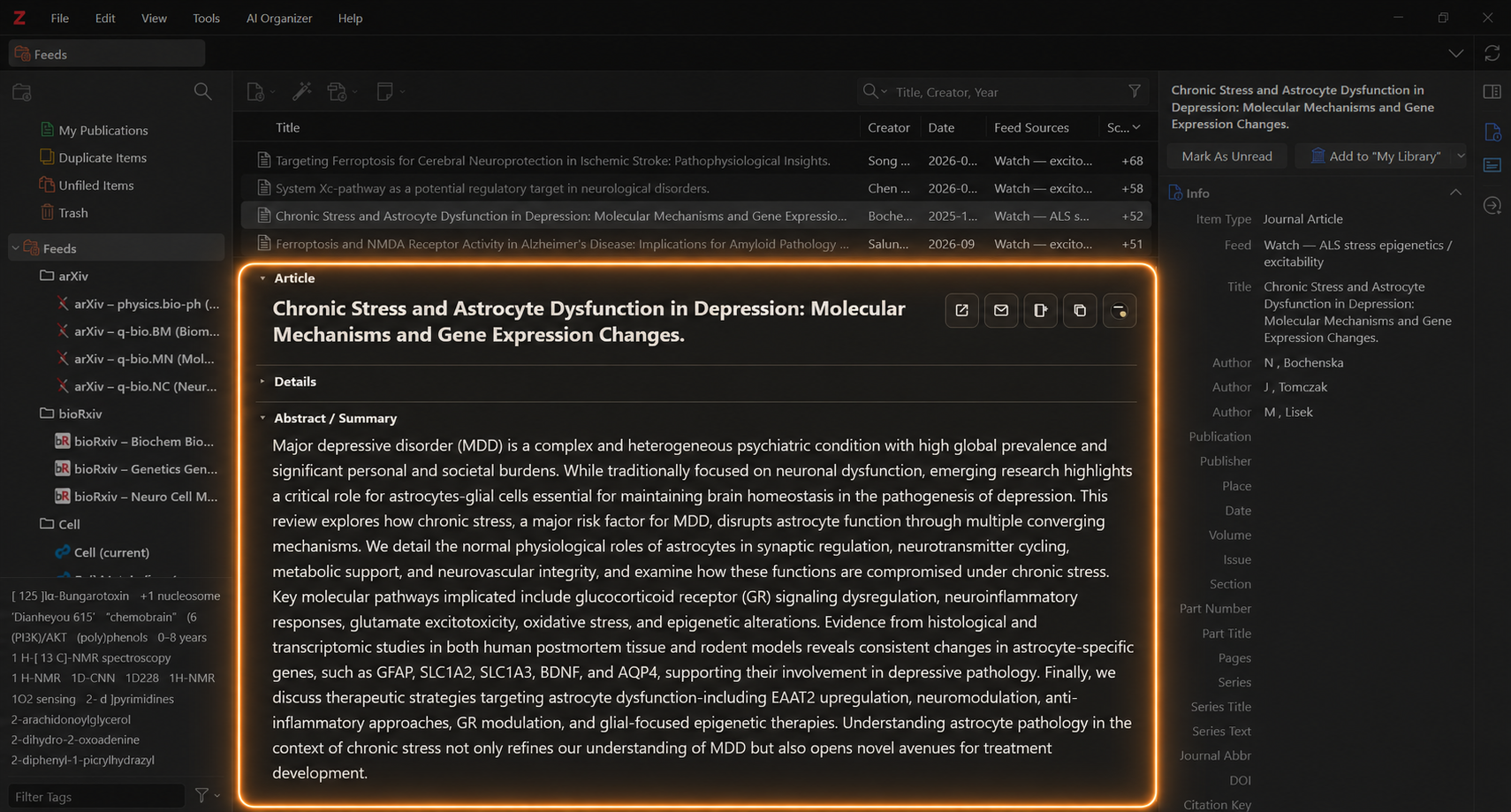
The Reader brings together effective metadata, Include-rule highlights, Feed Subjects, tags, Relevance Score, Score Breakdown, read controls, article opening, copying, and Add to My Library.
See Reader Workflow.
AI-assisted research rules
RSSrch can export an AI Setup/Refinement Package containing information about your research environment, feeds, current rules, and research model.
The package can be analyzed by an AI system to help create or refine a complete RSSrch research model.
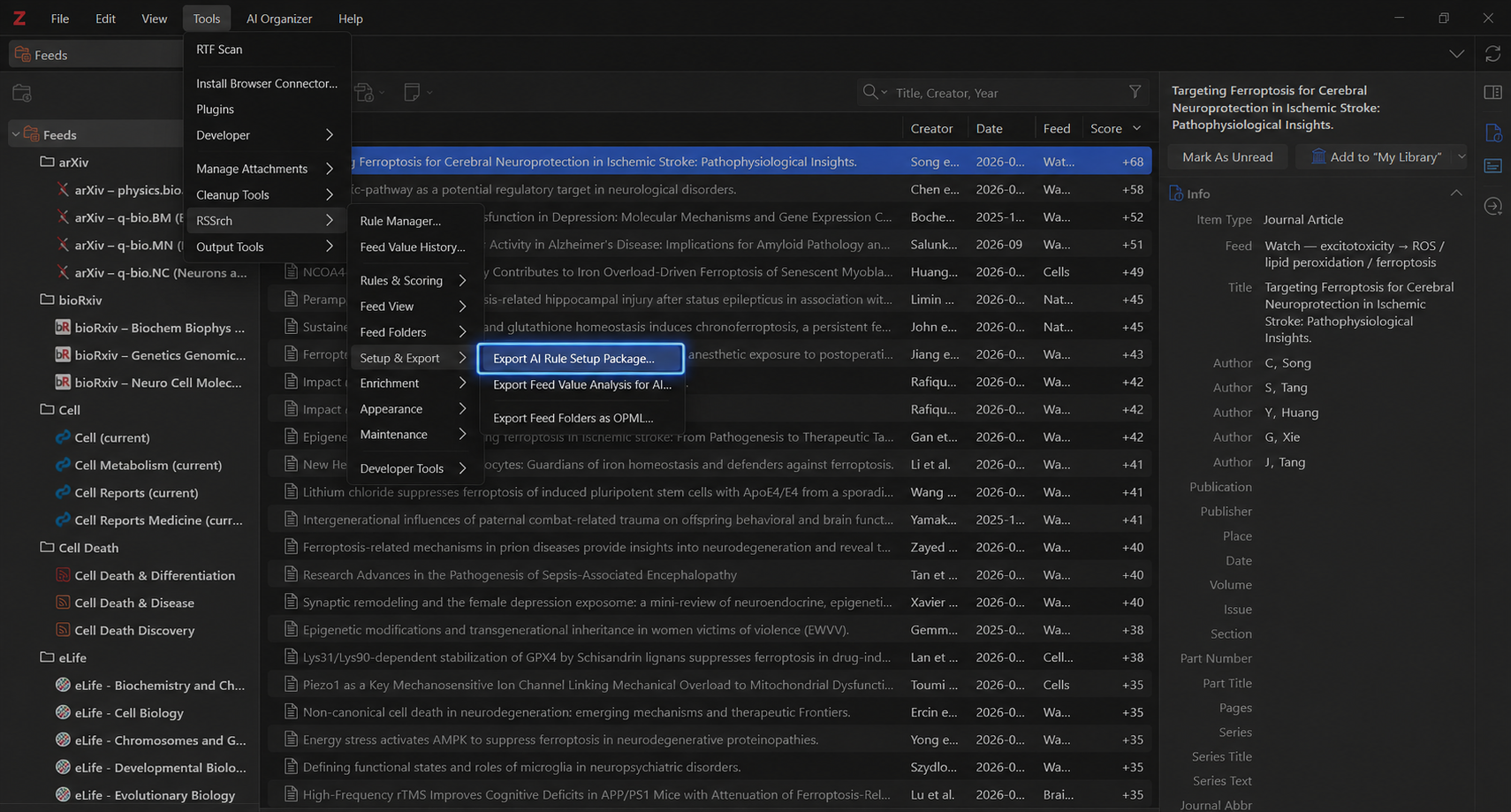
RSSrch also includes a Research Setup Wizard to guide initial setup and later refinement.
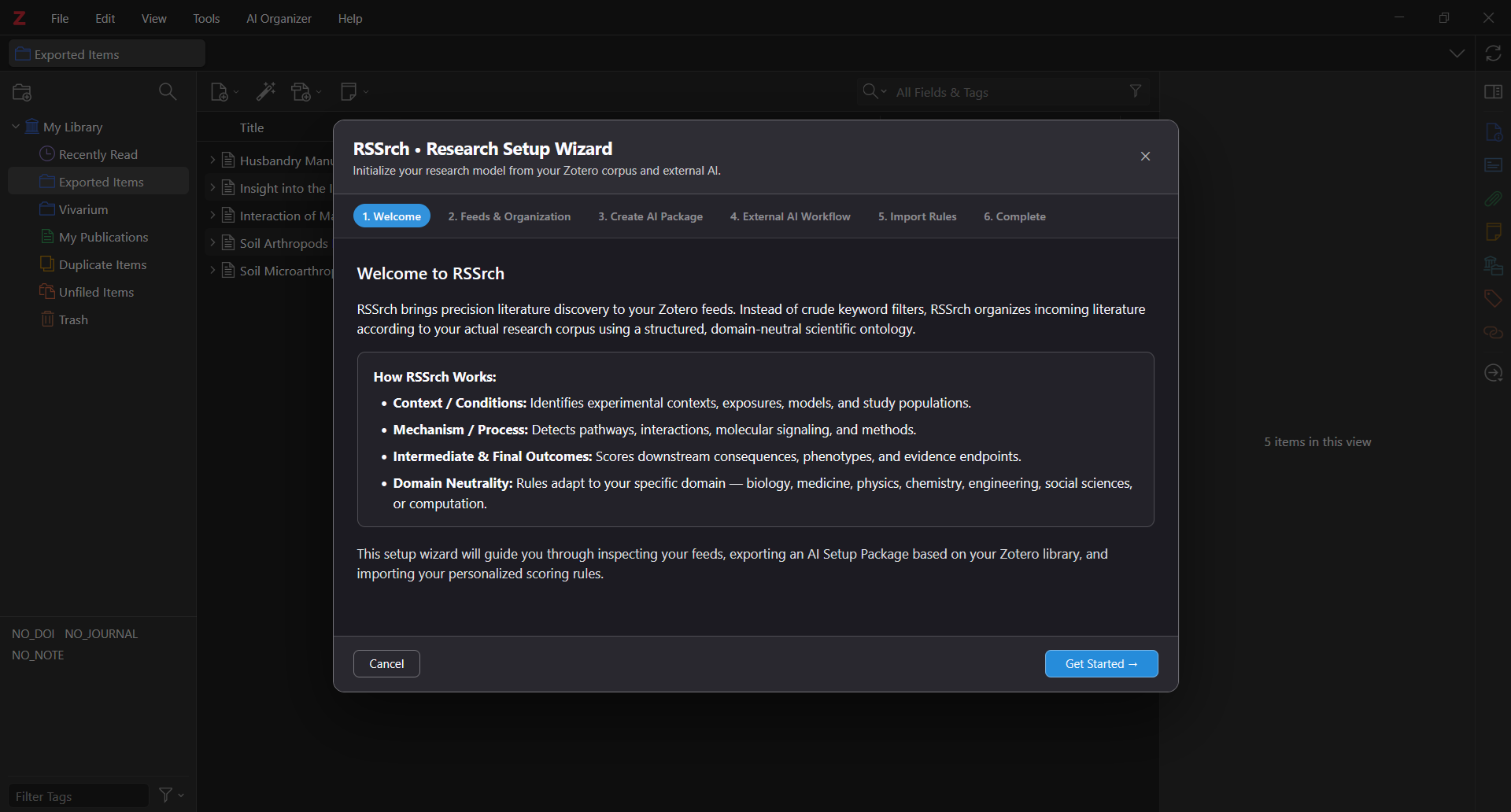
See First Steps for the setup workflow and Rule Manager for manual rule management.
Getting started
1. Install RSSrch
Download the latest plugin release and install the .xpi file in Zotero 10.
See Installation.
2. Complete the initial setup
Use the Research Setup Wizard to establish or import your initial research model.
See First Steps.
3. Organize your feeds
Create RSSrch Feed Folders around your research areas and projects.
See Feed Folders.
4. Configure the research model
Use the Rule Manager to configure:
5. Test the model
Use Preview and Rule Testing to inspect Admission and Relevance Scoring behavior before committing major changes.
6. Review incoming research
Use the Reader Workflow and Zotero’s item list to triage papers, inspect rule evidence, review relevance scores, and save valuable articles to My Library.
First initialization
First initialization
RSSrch may need to process and enrich existing feed items when it is first initialized. Large RSS libraries can take a significant amount of time to complete this initial processing pass. This is expected.
Initial processing can include metadata inspection, enrichment, subject processing, Relevance Scoring, deduplication preparation, and local cache generation.
See Metadata Enrichment for more information.
At a glance
RSSrch provides:
- Nested folders for organizing Zotero RSS feeds
- Combined folder views containing descendant feed items
- Folder dashboards and RSSrch Active controls
- Feed Subjects and folder-scoped tag discovery
- Metadata enrichment for sparse feed items
- Customizable Admission rules
- Weighted research relevance scoring
- Relevance Scores directly in the Zotero item list
- Automatic alerts, My Library saves, and workflow tags
- Rule preview and detailed diagnostics
- Research-focused Reader integration
- AI-assisted research rule creation and refinement
- A guided Research Setup Wizard
- Integration with Zotero’s existing RSS feed system